
What is Auto headline (text overlay)?
Auto headline (previously called Auto hook or Auto Text Overlay Hook) automatically generates a short, one-line text overlay that appears at the beginning of your clip. The headline is designed to:- Provide instant context to viewers
- Capture attention in the opening seconds
- Improve short-form retention and engagement
How It Works
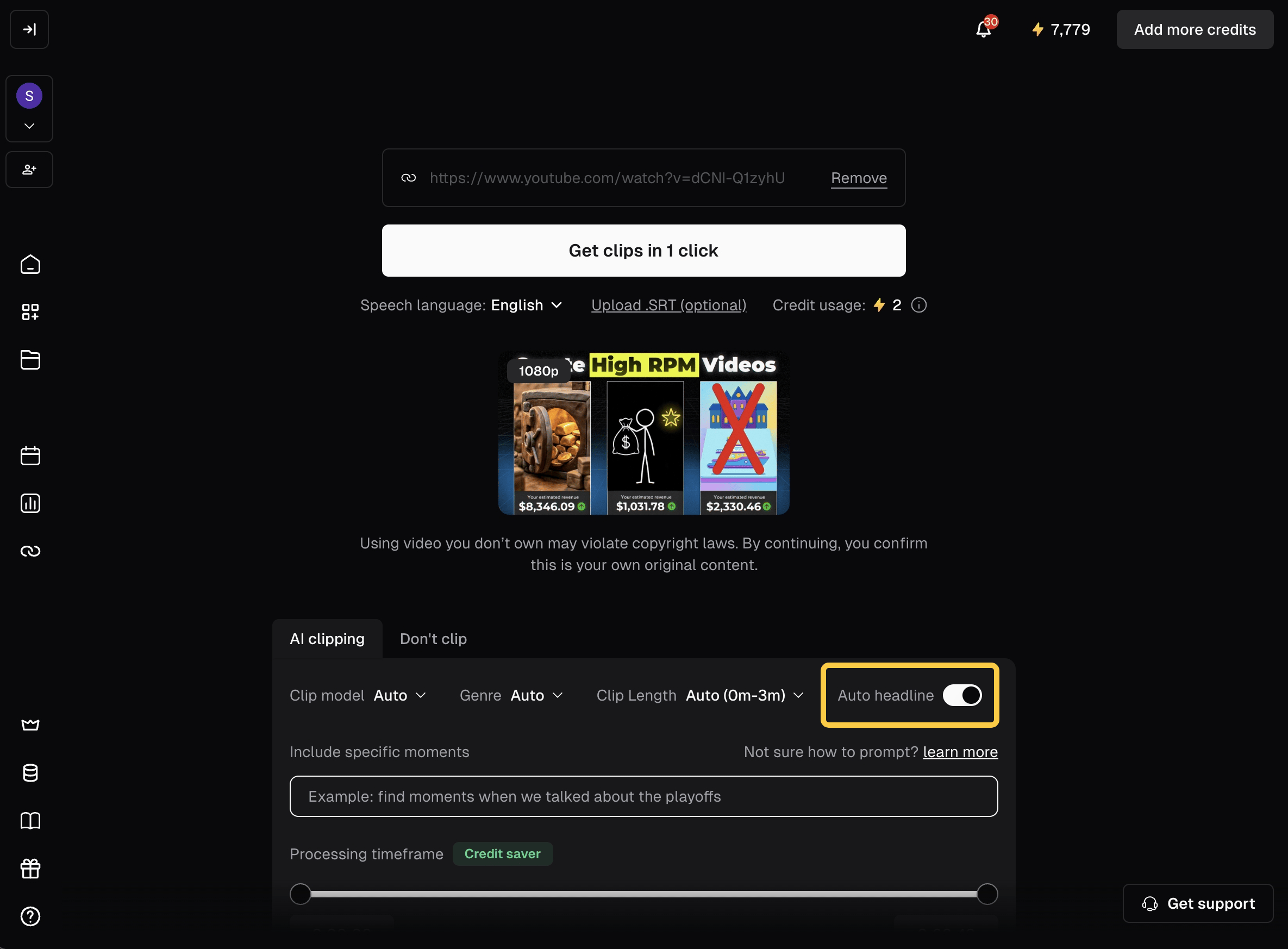
- You can enable Auto headline from multiple places: the Submit Panel when uploading, the editor, and your auto-import settings. It’s turned on by default for manual uploads and off by default for auto-imported videos.
- OpusClip analyzes your content and generates a one-line text overlay headline.
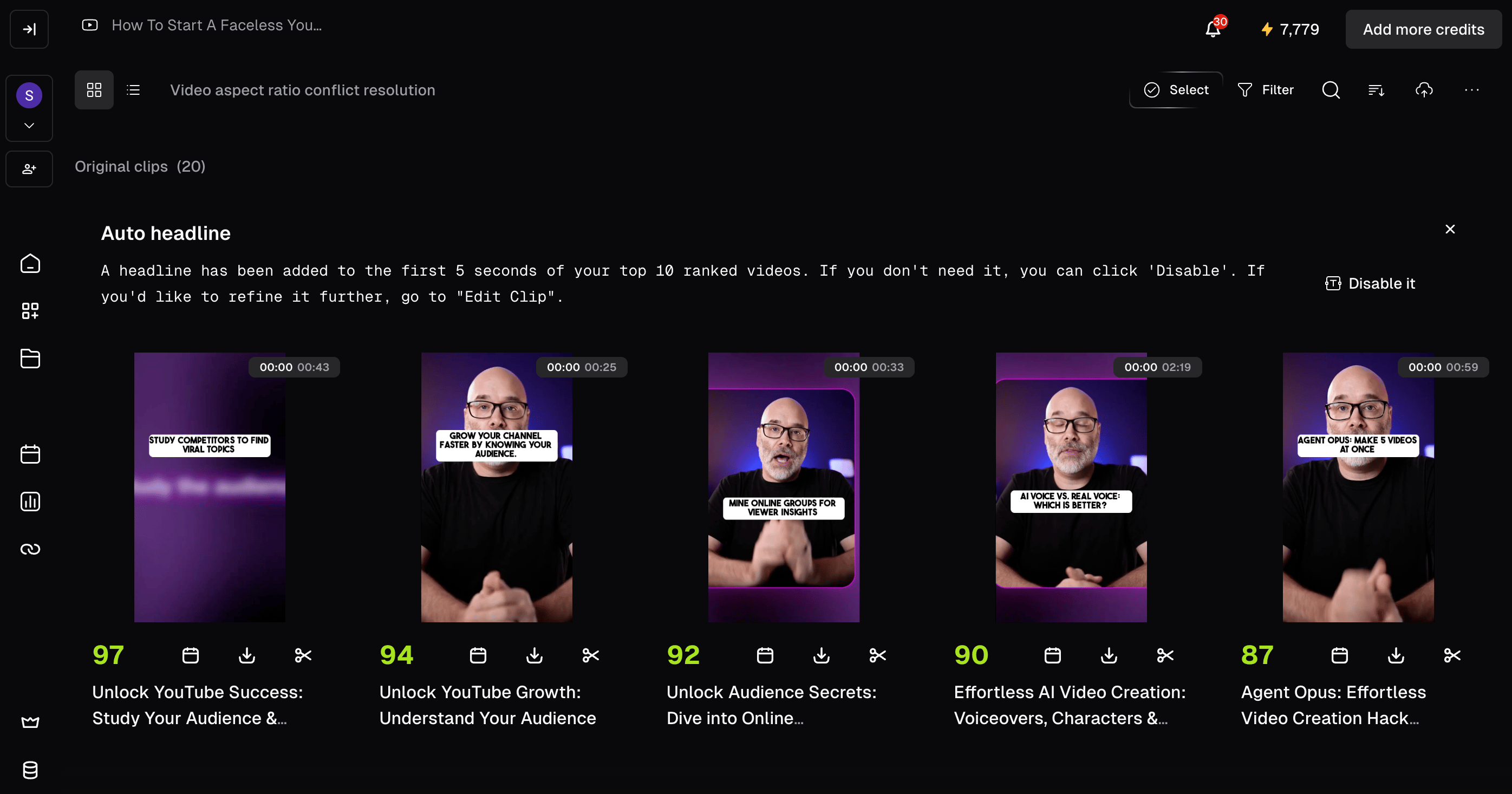
- The headline is automatically added to the beginning of each of the top 10 clips. You can also pick a new style for it in the editor.
- You can review the clips on the Results Page as usual.
- We also provide a notice banner at the top of this page to quickly disable it. If you click “disable”, the auto text will be disabled, and you can enable it again when submitting the project. The next five projects you submit will also display a reminder banner related to Auto headline.
Style Your Headline with Brand Templates
You can customize how the Auto headline looks — font, size, weight, font color, word background color, corner radius, and text box width — in the Auto headline section of your Brand Template. The style is saved once and applied automatically to all clips generated with that template. See How to add a Brand Template for details.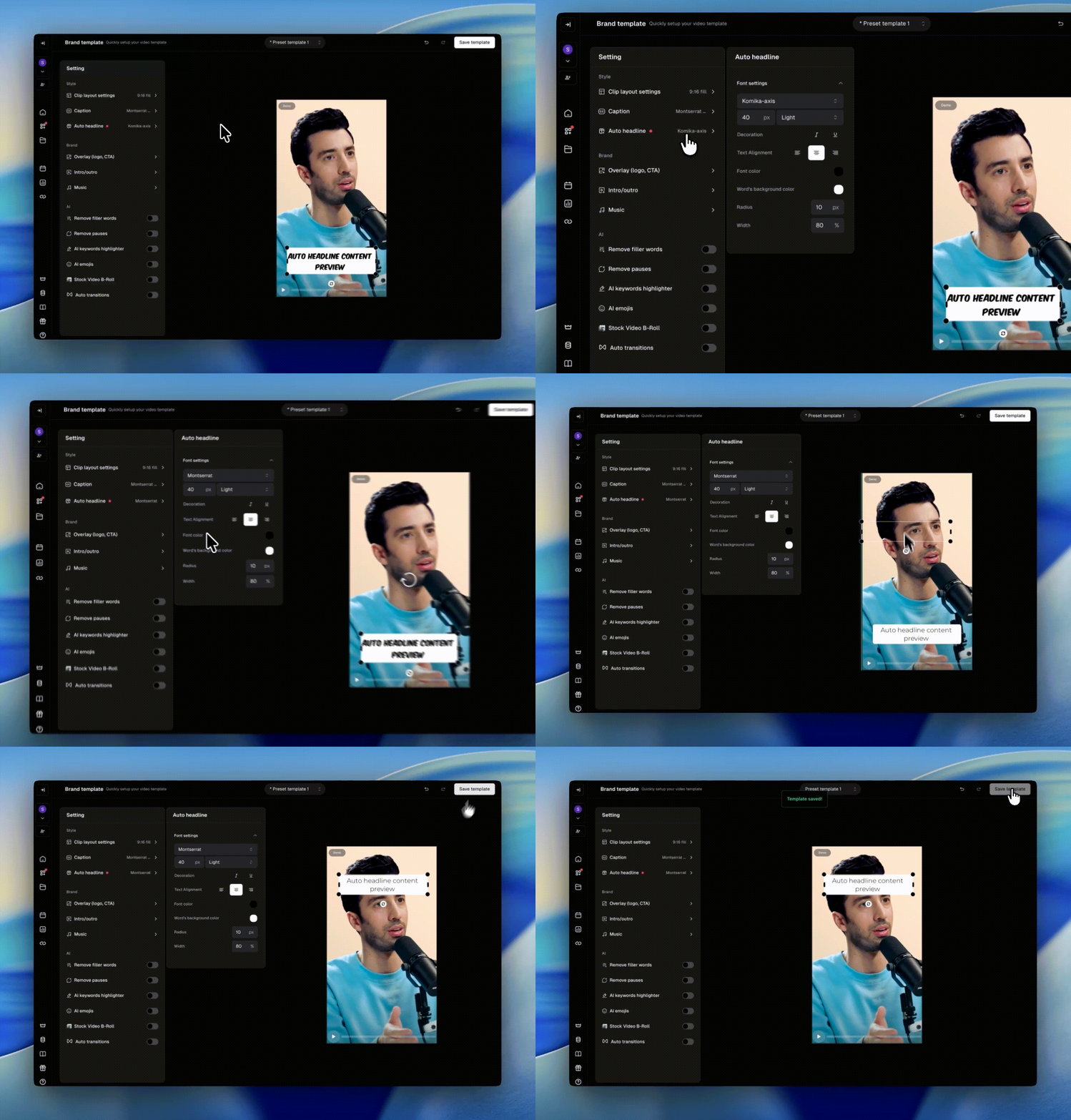
Auto headline with Auto Import
Auto headline now works with Auto Import. Turn it on in your auto-import / playlist settings, and the Auto headline style from your Brand Template is applied automatically to clips generated from your imported videos.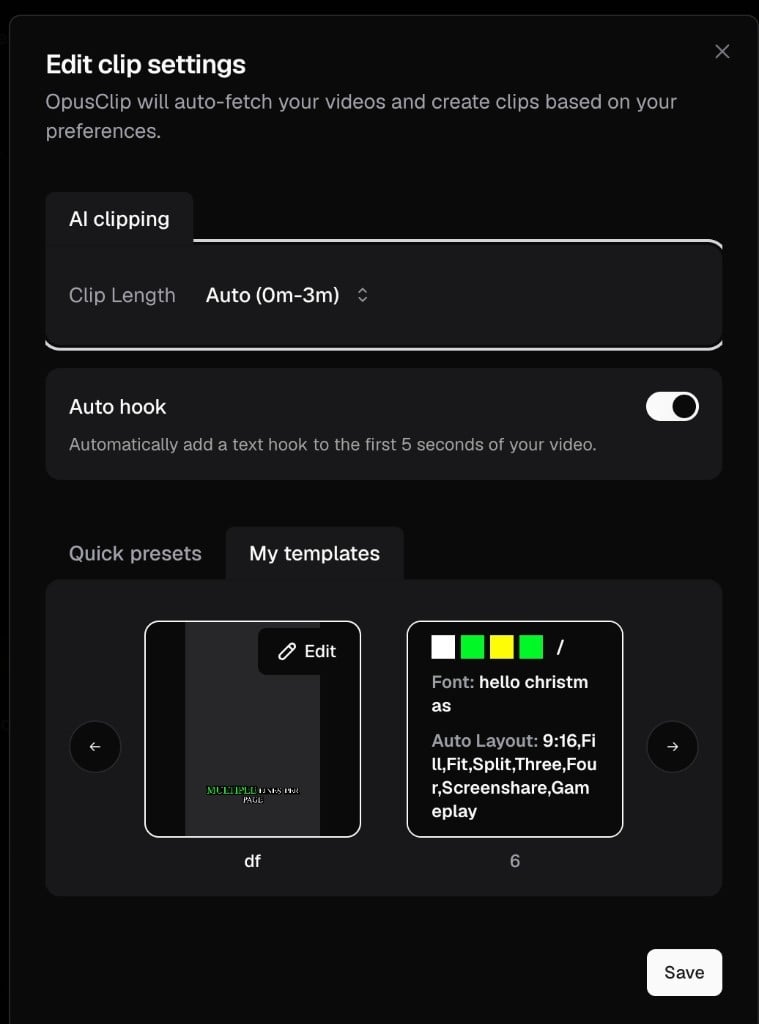
Auto headline is not applied to videos brought in through Zapier.
Turning Auto headline On or Off
- Disable: If you turn off the Auto headline toggle before submitting, none of the generated clips will include the headline.
- Re-enable: You can turn the toggle back on when submitting a new project.