> ## Documentation Index
> Fetch the complete documentation index at: https://help.opus.pro/llms.txt
> Use this file to discover all available pages before exploring further.
# Bulk Download
With the **Pro** plan, you can download multiple clips at once. Here’s how:
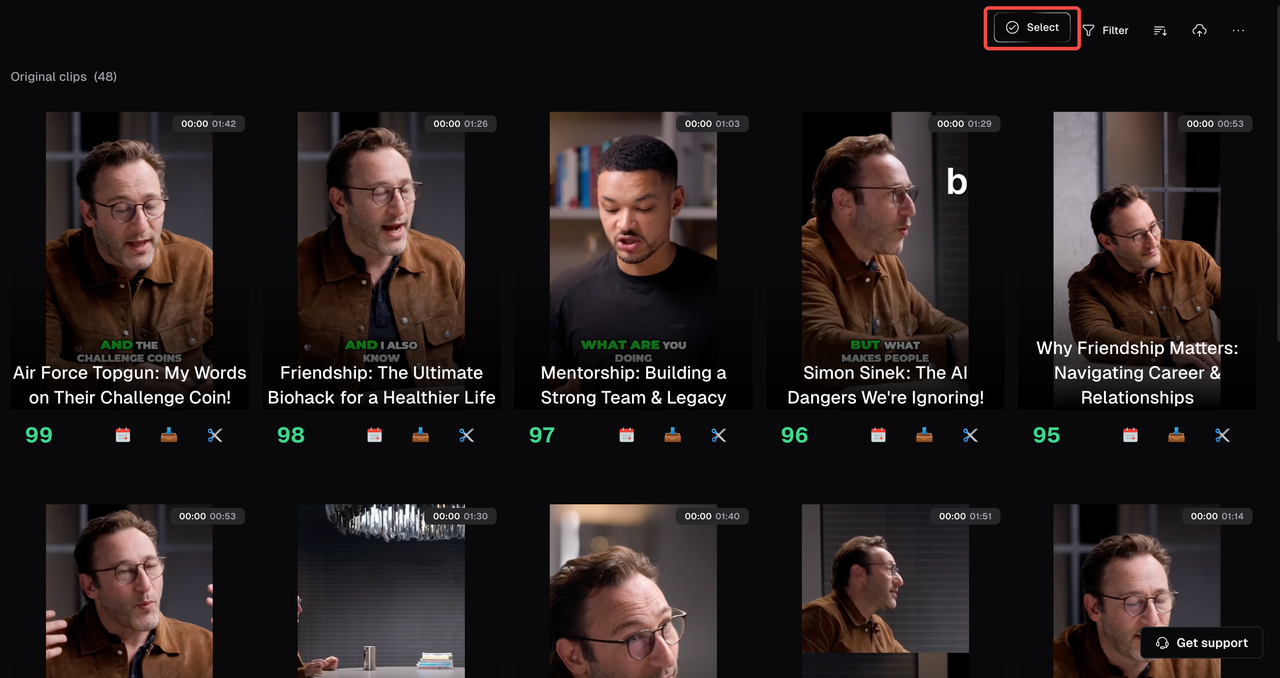
1. **Navigate to your project**: Open your projects' results page.
2. **Select Clips**:
* Click on "**Select**" in the top right corner of the results page
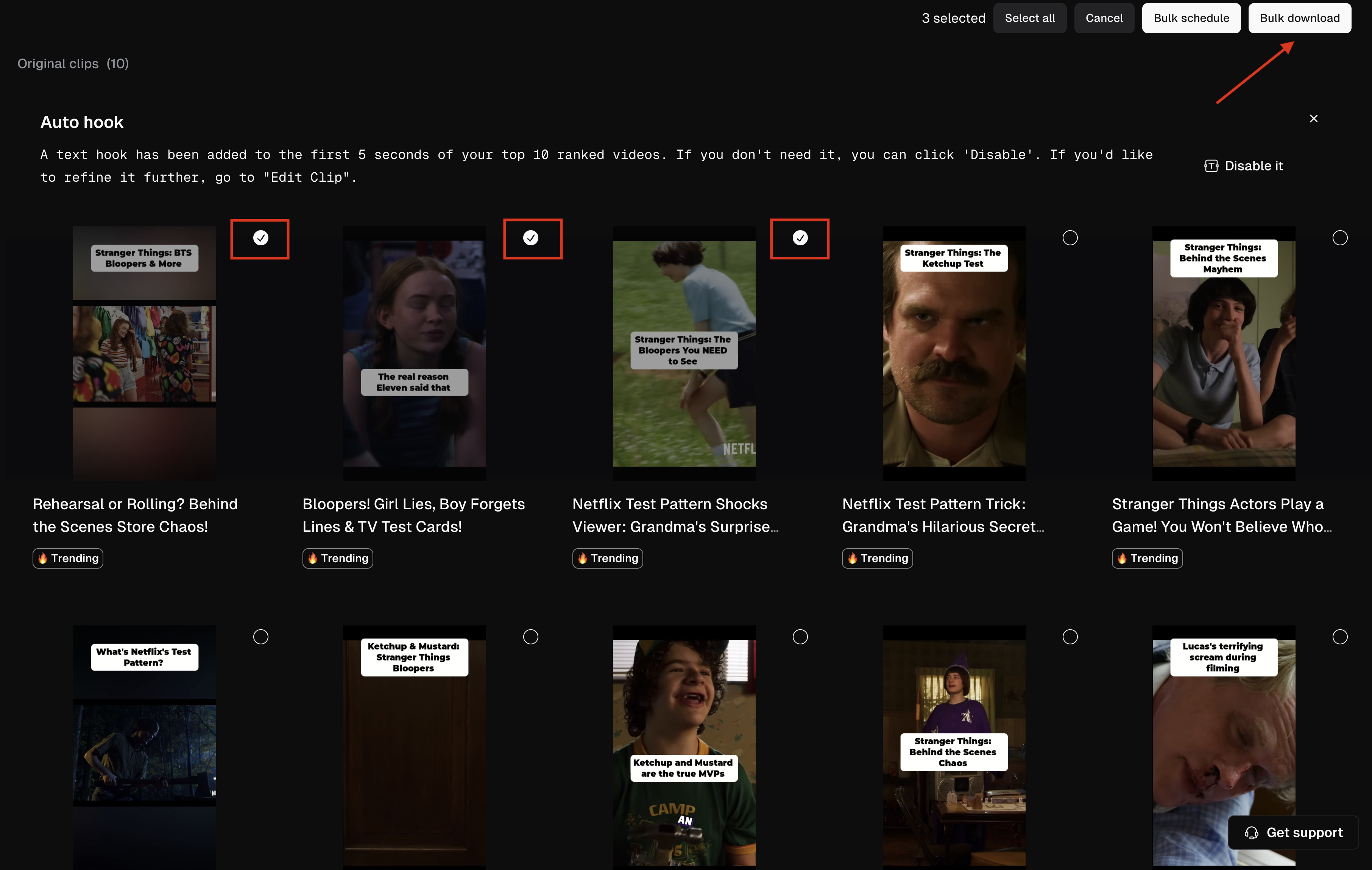
* Check the box next to each clip to make your selection or use **Select all** to choose all clips at once.
3. **Download**: Click the **Bulk Download** button to start bulk downloading.
4. **Upgrade if needed**: If you're prompted to upgrade, just follow the instructions to switch to the Pro plan.
**Troubleshooting**:
* **Download Issues**: Refresh the page and try again. For persistent issues, contact support.
* **Partial Downloads**: Check internet connection and retry. Reach out to support if the problem continues.