> ## Documentation Index
> Fetch the complete documentation index at: https://help.opus.pro/llms.txt
> Use this file to discover all available pages before exploring further.

# Trimming Clips/Adding New Sections

### Can I trim/extend/remove the sections of clips?

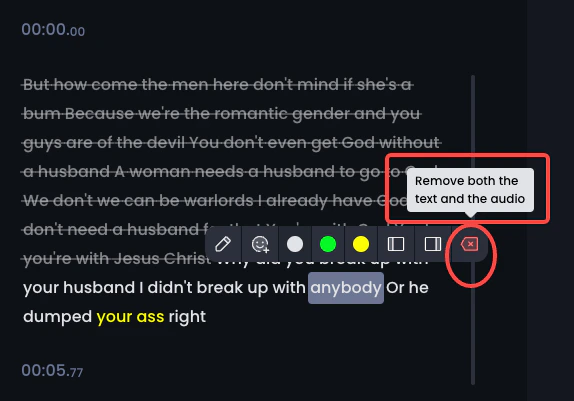
Currently, you can **trim or extend** the beginning and the end of each clip on ***Caption*** tab of editing page. Hover over a word to set it as start or end.👇

<div className="img-frame">
  <img src="https://mintcdn.com/opusclip-c3e48c12/wWf8oL-5UZ9lZUDC/images/imgs/snapshot-25.png?fit=max&auto=format&n=wWf8oL-5UZ9lZUDC&q=85&s=510722a76dbba0c42ea8657be7259548" noZoom width="950" height="1320" data-path="images/imgs/snapshot-25.png" />
</div>

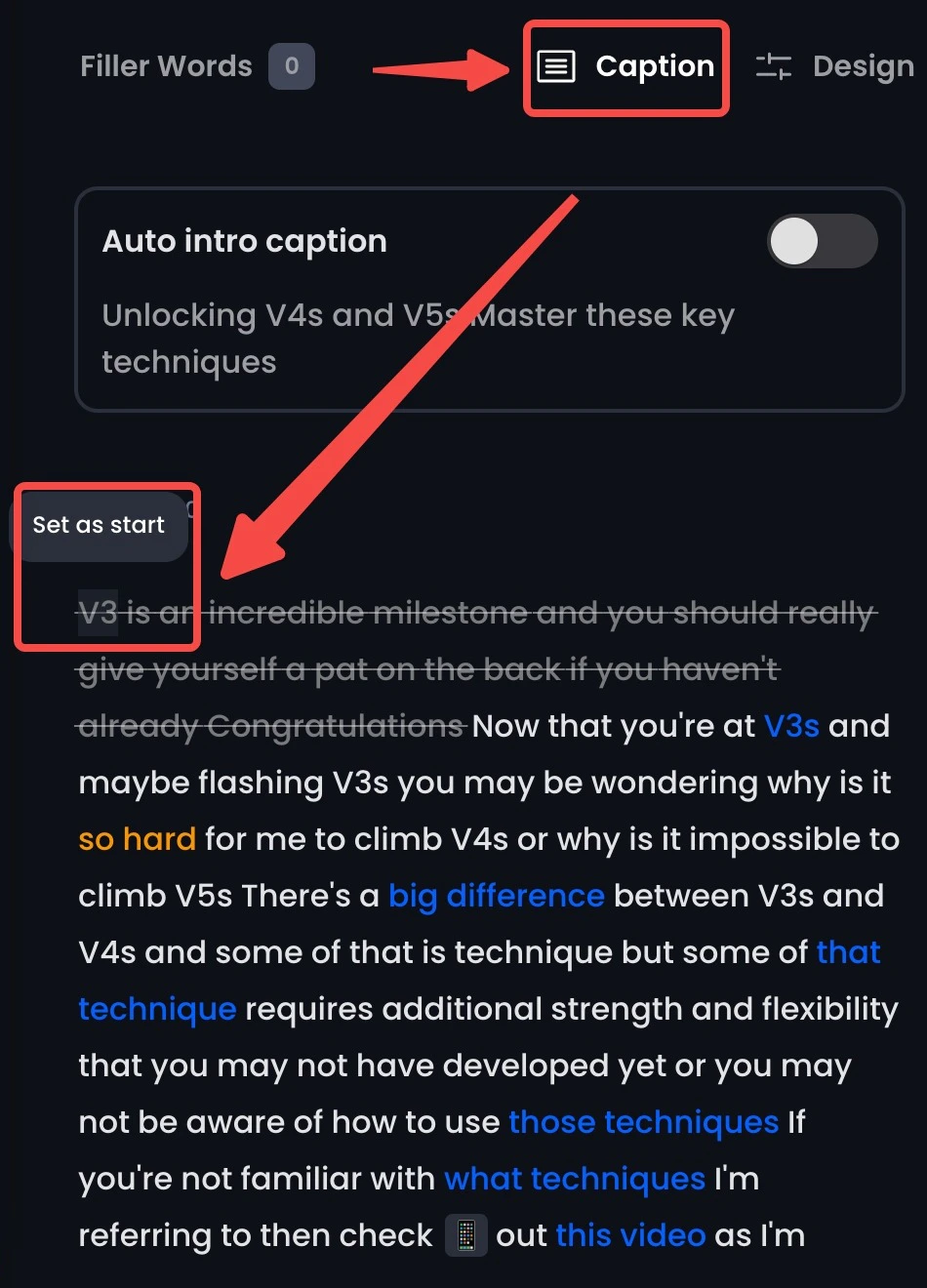
You can also **edit out/remove** some sections that you don't like.👇
<div className="img-frame">
  <img src="https://mintcdn.com/opusclip-c3e48c12/wWf8oL-5UZ9lZUDC/images/imgs/snapshot-26.png?fit=max&auto=format&n=wWf8oL-5UZ9lZUDC&q=85&s=955f25e1c55b03d844058afcd43ae7f0" noZoom width="574" height="401" data-path="images/imgs/snapshot-26.png" />
</div>